HTMx Frontend
The new frontend is old-new school and uses HTMx to boost HTML pages.
It uses Tailwind CSS and daisyUI for looks and layout, but you do not need to install anything extra for the frontend to work.
You do need to have both in order to add a new theme or otherwise change the looks:
Tailwind CSS: A utility-first CSS framework for rapidly building custom user interfaces.
daisyUI: A component library for Tailwind CSS that provides a set of ready-to-use components as well as color themes.
Setup
The app is included in the argus-server codebase and is installed and configured by default.
Install and build Tailwind CSS and daisyUI for UI tweaks
Attention
If you want to be able to customize the frontend in any way, including changing or adding themes, you need to install the support for Tailwind CSS and daisyUI. They are not Python packages so it cannot be streamlined much.
Recommended but open for tweaks and adaptations steps:
Install
Get Tailwind standalone CLI bundled with daisyUI from https://github.com/dobicinaitis/tailwind-cli-extra
Most Linux distributions:
$ curl -sL https://github.com/dobicinaitis/tailwind-cli-extra/releases/latest/download/tailwindcss-extra-linux-x64 -o /tmp/tailwindcss
$ chmod +x /tmp/tailwindcss
For other OSes see https://github.com/dobicinaitis/tailwind-cli-extra/releases/latest/ and update the bit after
download/accordingly.Optionally you can compile tailwind+daisyUI standalone cli bundle yourself as described here: https://github.com/tailwindlabs/tailwindcss/discussions/12294#discussioncomment-8268378.
(Linux/OsX) Move the tailwindcss file to your $PATH, for instance to
~/bin/or.local/bin.
Build
Go to the repo directory (parent of
src/)Build the main stylesheet file using the
tailwindcssexecutable from step 1.Tailwind v4 uses CSS-based configuration, so no separate config file is needed. The input CSS file (
styles.css) contains all imports and configuration.Manually:
tailwindcss -i src/argus/htmx/tailwindtheme/styles.css -o src/argus/htmx/static/styles.css
We’ve made it easy to run this command with
makeortox:make tailwind tox -e tailwind
Either will rebuild the styles for you.
Configure
See Customizing the HTMx frontend. You will probably need a separate settings file, see How to change site-specific settings.
Settings
See How to change site-specific settings for the how, see below for what.
These settings are needed for various features in the frontend.
Note especially that ROOT_URLCONF is set to
argus.htmx.root_urls. If you prefer to make your own root urls.py, the
frontend-specific urls can be imported from argus.htmx.htmx_urls.
Domain settings
ARGUS_FRONTEND_URLis used for building permalinks to point back to incidents in the dashboard, or whenever else an absolute url is needed.
The setting must point to the publicly visible domain where the frontend is
running. This might be different from where the backend is running. If the
backend is running on multiple addresses (for replication/robustness) they must
share the same ARGUS_FRONTEND_URL.
Depending on how Argus is deployed this is the only surefire way to get hold of the externally visible hostname in the code in all cases.
OAuth2
ARGUS_<backend>_KEYholds the id/key for using a specific OAuth2 backend for authentication.
ARGUS_<backend>_SECRETholds the password for using a specific OAuth2 backend.
Furthermore, visiting /oidc/login/<backend>/ when an Oaouth2 backend is set
up and installed will trigger a login via that backend.
See the Authentication reference and the
OAuth2 howto for the meaning of <backend>.
OpenID Connect
Use the Python social auth backend
social_core.backends.open_id_connect.OpenIdConnectAuth, see
PSA: OIDC (OpenID Connect)
It is only possible to connect to one OIDC provider at a time without subclassing.
If you want to use email-addresses as usernames, set
SOCIAL_AUTH_OIDC_USERNAME_KEY to "email". If you don’t do this,
what username you will end up with is decided by the OIDC provider in question.
It could be a UUID or some other unique generated string that will not make
sense to your end-users.
You can look inside the JWT (in the model UserSocialAuth, field
extra_data, key id_token) for a different suitable value to use for
a username.
Optional authentication backend settings
RemoteUserBackend
If using django.contrib.auth.backends.RemoteUserBackend (which depends on
the middleware django.contrib.auth.middleware.RemoteUserMiddleware) there’s
an optional setting ARGUS_REMOTE_USER_METHOD_NAME to choose what to show on
the button.
It can be set via an environment variable of the same name.
OpenIdConnectAuth
If using social_core.backends.open_id_connect.OpenIdConnectAuth there’s an
optional setting ARGUS_OIDC_METHOD_NAME to choose what to show on the
button.
It can be set via an environment variable of the same name.
Page size
By default, incidents are shown with a page size of 10 (ie. 10 rows at
a time), and the user can select a different page size from [10, 20, 50,
100]. It possible to override these settings by setting the
ARGUS_INCIDENTS_DEFAULT_PAGE_SIZE (an integer) and
ARGUS_INCIDENTS_PAGE_SIZES setting respectively.
Table columns
Argus ships with more possible column types than what are configured by default.
The columns to use are set with the INCIDENT_TABLE_COLUMN_LAYOUTS
setting.
This is the default for the setting as of this version of Argus:
INCIDENT_TABLE_COLUMN_LAYOUTS = {
   "built-in": [
       "color_status",
       "row_select",
       "start_time",
       "combined_status",
       "level",
       "source",
       "description",
       "ticket",
    ]
}
You can define your own columns from scratch, see Customizing the HTMx frontend for examples.
All built-in columns
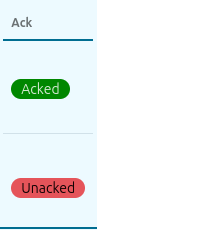
- ack
- From:
ack
- Name:
ack
- Description:
Show whether the incident is acked or not.
- Redundant with:
combined_status, combined_status_icons
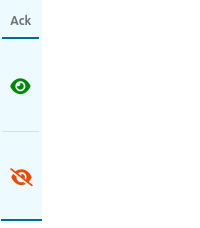
- ack_icon
- From:
ack
- Name:
ack_icon
- Description:
Show whether the incident is acked or not, using an icon instead of text.
- Redundant with:
combined_status, combined_status_icons
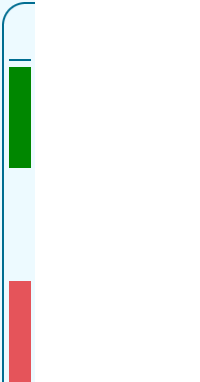
- color_status
- From:
ack + status
- Name:
color_status
- Description:
A combination of ackedness and openness, shown only as a color.
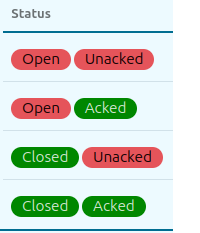
- combined_status
- From:
ack + status
- Name:
combined_status
- Description:
Merges the “open” column and the “ack” column into one.
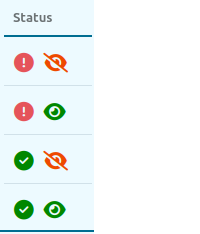
- combined_status_icons
- From:
ack + status
- Name:
combined_status_icons
- Description:
Merges the “open” column and the “ack” column into one, using icons instead of text.
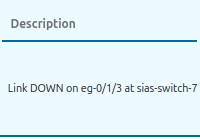
- description
- From:
description
- Name:
description
- Description:
The contents of the description-field of the incident.
- Redundant with:
search_description
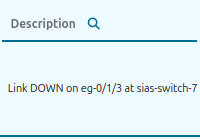
- search_description
- From:
description
- Name:
search_description
- Description:
Search for (free text) all tickets that matches and show their incidents.
- Redundant with:
description
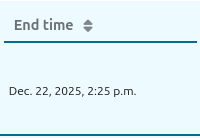
- end_time
- From:
end_time
- Name:
end_time
- Description:
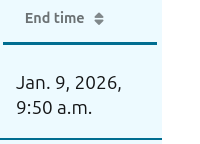
When the incident was resolved/closed. Empty for open and stateless incidents.
- Redundant with:
narrow_end_time
- narrow_end_time
- From:
end_time
- Name:
end_time
- Description:
When the incident was resolved/closed, width depends on date format. Empty for open and stateless incidents.
- Redundant with:
end_time
- id
- From:
id
- Name:
id
- Description:
The internal id of the incident in argus.
- Redundant with:
search_id

- search_id
- From:
id
- Name:
search_id
- Description:
Search for incidents with a given id.
- Redundant with:
id

- level
- From:
level
- Name:
level
- Description:
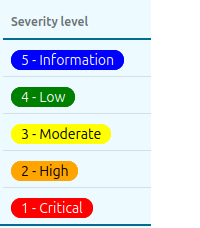
The severity level.
- Redundant with:
select_levels, compact_level, compact_select_levels
- select_levels
- From:
level
- Name:
select_levels
- Description:
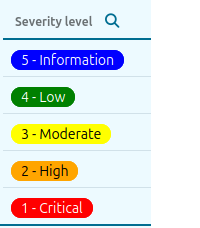
The severity level. One or more can be selected. Might conflict with the notification filter field
maxlevel. If maxlevel is set to less than max, you will get no results if searching for the max via this field.- Redundant with:
level, compact_level, compact_select_levels
- compact_level
- From:
level
- Name:
compact_level
- Description:
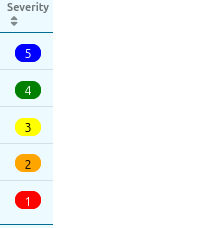
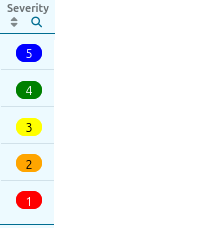
Compact severity level showing only the number with color. Full description shown on hover.
- Redundant with:
level, select_levels, compact_select_levels
- compact_select_levels
- From:
level
- Name:
compact_select_levels
- Description:
Compact severity level with filtering. Shows only the number with color, full description on hover. One or more levels can be selected.
- Redundant with:
level, select_levels, compact_level
- under_maintenance
- From:
planned_maintenance_tasks
- Name:
under_maintenance
- Description:
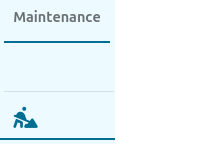
An icon indicating if there exists a planned maintenance task that covers the incident, meaning no notifications are being sent for that incident.
- Redundant with:
is_under_maintenance
- is_under_maintenance
- From:
planned_maintenance_tasks
- Name:
is_under_maintenance
- Description:
An icon indicating if there exists a planned maintenance task that covers the incident, meaning no notifications are being sent for that incident. Can toggle showing only incidents that are or are not covered by maintenance.
- Redundant with:
under_maintenance
- status
- From:
open
- Name:
status
- Description:
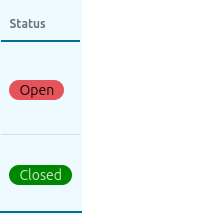
Whether the incident is still ongoing or has been closed.
- Redundant with:
combined_status, combined_status_icons
- status_icon
- From:
open
- Name:
status_icon
- Description:
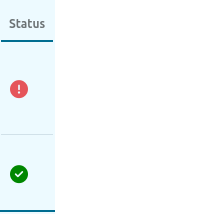
Whether the incident is still ongoing or has been closed, using an icon instead of text.
- Redundant with:
combined_status, combined_status_icons
- row_select
- From:
depends on incident id
- Name:
row_select
- Description:
Checkbox to select the row for bulk changes.

- source
- From:
source
- Name:
source
- Description:
The source of the incident.

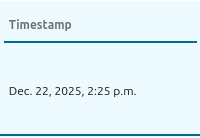
- start_time
- From:
start_time
- Name:
start_time
- Description:
When the incident started, fixed width.
- Redundant with:
narrow_start_time
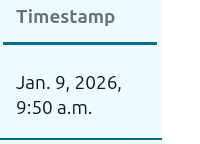
- narrow_start_time
- From:
start_time
- Name:
start_time
- Description:
When the incident started, width depends on date format.
- Redundant with:
start_time
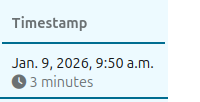
- start_time_and_age
- From:
start_time + age
- Name:
start_time_and_age
- Description:
When the incident started, and how long it has been ongoing.
- Redundant with:
start_time, age
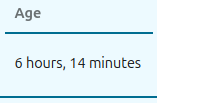
- age
- From:
age (calculated)
- Name:
age
- Description:
How long the incident has been ongoing.
- Redundant with:
start_time_and_age
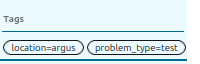
- tags
- From:
calculated
- Name:
tags
- Description:
All the tags of the incident. Most useful when making a notification filter.
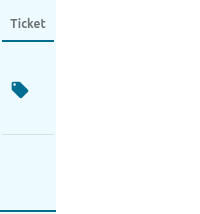
- ticket
- From:
ticket_url
- Name:
ticket
- Description:
A link to a ticket/issue in an external system with more information.
- Redundant with:
has_ticket_url, search_ticket_url
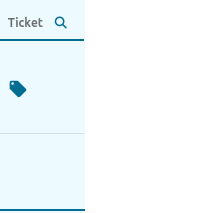
- has_ticket_url
- From:
ticket_url
- Name:
has_ticket_url
- Description:
A link to a ticket/issue in an external system with more information. Can toggle showing only incidents that has or lacks a ticket url.
- Redundant with:
ticket, search_ticket_url
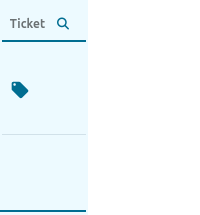
- search_ticket_url
- From:
ticket_url
- Name:
search_ticket_url
- Description:
A link to a ticket/issue in an external system with more information. Can search through all the tickets for the term, and only show the matching incidents.
- Redundant with:
ticket, has_ticket_url
Themes
If you wish to change the available themes, first make sure the support for Tailwind CSS and daisyUI has been installed, then see Customizing the HTMx frontend.
Usage of Javascript
The amount of javascript libraries is deliberately being kept to a minimum. The ones in use are vendored to avoid a build step and stored locally to not depend on DNS.
The following are in use:
htmx for updating parts of a page smoothly
hyperscript for adding client-side interactivity, used for cases where htmx alone is not sufficient
choices.js for typeahead search, multi select